Apps Every Broke Person Needs To Make & Save Money

At no additional cost to you, as an affiliate of Amazon and other organizations, I may earn money or products from the companies mentioned in this post. When you use my links, you also support this single mom. Thanks! Read the privacy policy and disclosure here.
Being Broke Is No Joke
As a single mom, I know what it’s like to watch your bank account numbers drop while juggling school pickup, bills, and a never-ending grocery list.
But even when money is tight, our phone can be a lifeline.
The right app turns that device in your hand into a way to track spending, grab deals, and earn a few extra dollars back. Using your phone as the resource it is, can make managing money less stressful and more doable.
This guide walks through the apps every broke person needs and shows how I used them to stretch every dollar. From scanning receipts after a supermarket run to stacking grocery rebates before payday.
I know you need this, so let’s get started.
Budgeting Apps Change The Game
Knowing where every dollar goes is the first step to breathing room. I found that connecting a budgeting app to my accounts and letting it categorize transactions saved me hours and a lot of guilt.
Instead of guessing, I could see exactly how much was leaving for groceries, gas, and those surprise school fees.
There isn’t one perfect app for everyone. Some folks love a detailed zero-based budgeting approach, others want a quick snapshot of cash flow. The goal here is simple: pick a tool that matches your style and use it. Start by learning the basics with short lessons, then link the accounts you feel comfortable linking.
Zogo: Learn Small Habits, Build Big Wins
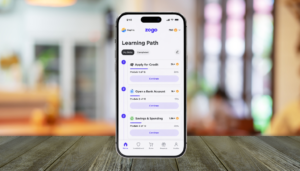
Zogo is a financial education app that rewards you for learning. For someone who’s overwhelmed, Zogo’s short lessons and gamified approach helped me build the habit of thinking about money before I spent it. I’d do two lessons while waiting in the carpool line and use that small nudge to check my budget for the day.
Use Zogo first to get comfortable with budgeting terms and goals, then move to a budgeting app that links accounts when you’re ready. It’s a low-pressure way to build knowledge and confidence without paying a premium.
Cash back apps are the little helpers that turn purchases you already make into small piles of extra cash. You either shop through the app or scan receipts, and rewards collect in an account you can cash out to PayPal, bank, or gift cards. For tight budgets, those small wins add up.
Ibotta: Grocery Receipt Rewards
Ibotta pays you back for grocery items and household buys by matching offers you select in the app to the receipt you upload. It works with most stores that give itemized receipts. So whether you hit ShopRite, Aldi, or the corner pharmacy, you can usually earn something.
How I use it: I open Ibotta before shopping, add the offers for items I already plan to buy, and then scan my receipt when I get home. That little routine nets consistent cash back without changing my grocery list much.
- Cash back on groceries, household items, and personal care
- Works with many stores that provide itemized receipts
- Bonus offers and friend/team bonuses to boost earnings
- Low cash-out threshold (check app for current amount) and multiple redemption options
Swagbucks: Surveys, Shopping, and More
Swagbucks is a multi-purpose rewards app that pays you for things many of us already do online—shopping, taking short surveys, watching videos, or trying offers. It’s a good fit if you want different small ways to earn without extra skills or time commitments.
As a parent, I use Swagbucks when I have 10–15 minutes: a couple of quick surveys here and there add up, and I redeem points for gift cards that cover small household expenses.
- Earn points for shopping, surveys, and simple tasks
- Redeem for gift cards or PayPal cash
- Low barrier to entry—start earning with very little time
- Good complement to receipt-scanning apps for extra monthly cash
Fetch Rewards: Any Receipt Accepted
Fetch Rewards makes earning rewards painless: snap a picture of any store receipt and earn points based on your total and qualifying brands. You don’t have to activate offers beforehand, which is perfect when you’re juggling kids and don’t have time to plan.
I use Fetch Rewards after every grocery trip—points turn into gift cards for places like Amazon or Target, which helps when school supply season hits. The app gamifies savings with bonuses and quick challenges that boost earnings without extra effort.
- Accepts receipts from virtually any retailer
- Points redeemable for popular gift cards
- Easy, no-prep earning—just scan receipts
- Works well combined with Ibotta for the same grocery trip
Quick Tips to Maximize Cashback
Use a simple routine so this doesn’t become another chore:
- Before you shop: open Ibotta and add offers you already plan to buy
- After you shop: scan your receipt in Fetch Rewards right away so you don’t forget
- Stack where possible: use receipt apps plus a rewards site/app like Swagbucks for online shopping
- Cash out regularly—small balances turn into groceries, gas, or gift cards fast
Food Apps to Slash Dining Costs
Eating out and takeout can drain a budget fast—trust me, I learned that between after-school activities and late-night Wawa runs. But a few smart app habits can cut dining costs without feeling like a punishment.
Instead of guessing where to save, plan meals and deals around what’s available. Use receipt-scanning cashback apps like Ibotta and Fetch Rewards on grocery trips, and treat rescue-food apps as an occasional win when you need a cheap dinner solution.
Too Good To Go: Rescue Surplus Food (Quick Tip)
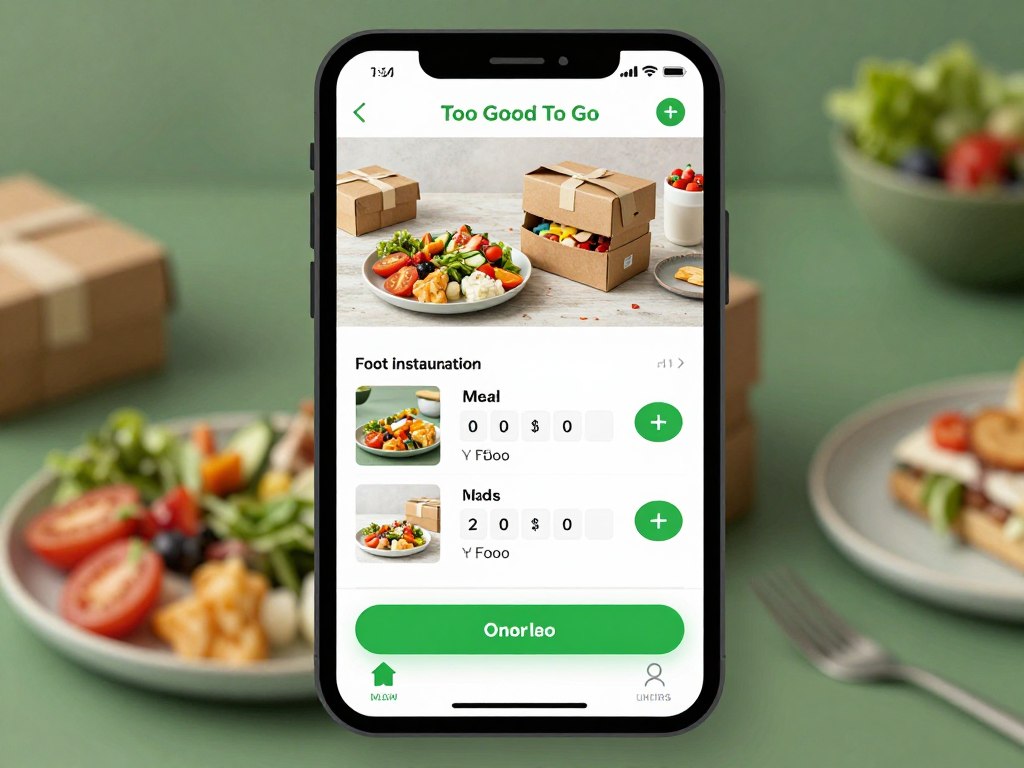
Too Good To Go can be a useful drop-in: businesses sell surplus or end-of-day items cheap. Availability and discounts vary by location—some users report steep savings—so check your neighborhood listings if you’re curious. I use it once or twice a month for an easy, low-cost dinner pickup near a train stop after practice.
- Good for occasional low-cost meals when available
- Contents and discounts vary by location and day
- Helps reduce food waste while stretching your grocery dollars
Stretch Grocery Dollars with Ibotta + Fetch
The easiest, most reliable savings I’ve found comes from combining receipt apps with planned shopping. Use Ibotta to add offers before you shop, then scan the receipt in Fetch after you get home—both apps reward real purchases and stack well together.
How I do it: I add Ibotta offers for items I already need, shop my list at ShopRite, then scan the receipt in Fetch for extra points. Those small rebates and gift cards add up and help cover things like a school field trip or winter boots.
- Check Ibotta offers before shopping and add ones you already plan to buy
- Scan receipts in Fetch Rewards immediately so you don’t forget
- Cash out regularly—gift cards or PayPal help pay for everyday expenses
Quick Deal-Hunting with Flipp
Flipp collects local store circulars and coupons so you can plan shopping trips around real sales. Some people save an extra amount per month by matching their lists to local ads—use it when you have time to plan a bigger shop.
My tip: check Flipp for the best price on bulk items or when you’re planning a 1–2 week meal plan. For day-to-day savings, rely on Ibotta and Fetch since those work with almost any store.
- Best for planning bigger grocery trips around local sales
- Price-compare items across nearby stores
- Good complement to receipt-scanning apps for extra monthly savings
Banking Apps That Help You Save Automatically
Savings can only go so far. Sometimes you need extra income to cover daycare, school trips, or a surprise car repair. Flexible side gigs and low-effort rewards apps helped me bridge those gaps without a second job. You don’t need to overhaul your schedule; small, regular earnings add up.
Not everyone can take on heavy gigs, and that’s okay. If you’ve got spare minutes between pickup and bedtime, treat apps like Swagbucks as low-barrier ways to earn. For bigger, one-off boosts, look for local gig marketplaces or sell items you no longer need—just be mindful of time vs. payoff.
Quick Comparison: Best Apps by Category
| App Category | Top Pick | Best Feature | Cost | Time to Setup |
| Budgeting / Learning | Zogo | Bite-sized lessons that build money habits | Free | 5 minutes |
| Grocery Cashback | Ibotta | Receipts & in-app offers for grocery rebates | Free | 5 minutes |
| Receipt Scanning | Fetch Rewards | Accepts receipts from almost any store | Free | 3 minutes |
| Extra Small Income | Swagbucks | Multiple easy ways to earn (surveys, shopping, videos) | Free | 3–10 minutes |
| What to look for | Recommended approach | Link accounts safely, automate small savings, use 3–4 apps only | Varies | 10–20 minutes |
Costs and features can change—check the Apple App Store or Google Play listing for the latest reviews and details before installing.
Getting Started: Your Action Plan
Downloading apps won’t change your budget by itself — habits do. I started small between school drop-off and pickup: a few lessons, a receipt scan, and one tiny automatic transfer. Those little moves added up over the month and kept me from touching savings when bills popped up.
Use this four-week plan to build momentum. Each week has one clear goal and tiny actions you can finish in minutes so it fits around work, kids, and life in Philly.
Week One: Understand Your Money
Goal: Create a simple budget and learn the basics.
Action steps:
- Install Zogo and complete 3 short lessons this week to learn budgeting terms and routines
- Create one monthly budget: list major categories (groceries, rent, childcare) and set a target for each
- Micro-goal: Track one week of spending — just observe, don’t change anything yet
Week Two: Capture Cashback
Goal: Start earning on purchases you already make.
Action steps:
- Install Ibotta and Fetch Rewards and set up accounts
- Before your next grocery run, add Ibotta offers for items you already plan to buy
- Scan 3 receipts in Fetch this week (micro-goal) and redeem points when you hit the payout threshold
Week Three: Automate Savings
Goal: Put saving on autopilot so it happens without thinking.
Action steps:
- Set up one small recurring transfer — try $5 per week or a round-up feature in your bank app
- Create a named savings goal (emergency fund, school supplies) and link the transfer to that goal
- Micro-goal: Check your accounts weekly to confirm transfers and review progress
Week Four: Optimize and Expand
Goal: Review what worked and keep what helps.
Action steps:
- Assess which apps delivered value—keep Ibotta, Fetch, Swagbucks, and Zogo if they helped
- Delete any apps you never open (fewer than 4–5 well-used apps is ideal)
- Micro-goal: Combine one saved rebate or gift card this month toward a needed expense (every dollar counts)
Try this next: install Zogo, Ibotta, Fetch, and Swagbucks (affiliate links), complete one lesson in Zogo, and scan one receipt today. That small action starts a habit that can save you real money over the month.
Tips for Maximizing App Benefits
Apps give you tools, but how you use them makes the real difference. In my experience, the gap between saving fifty dollars and five hundred often comes down to consistent habits: weekly check-ins, quick routine actions, and a little stacking where it makes sense.
Here are the practical strategies that worked for me as a single mom in Philly—short, realistic, and doable between soccer practice and dinner prep.
Stack the simple stuff
Stacking is simple. Use Ibotta offers for items you already planned to buy, then scan the same receipt in Fetch for extra points. For online buys, check Swagbucks for shop-through rewards before you click. Those tiny layers of savings added up for me into a family pizza night fund.
Turn on useful notifications (not everything)
I only allow alerts for offers I actually use—grocery deals, low-balance warnings, and cash-out reminders—so my phone doesn’t pester me during pickup. Customize notifications so you get the value without the noise.
Do a 5-minute weekly review
Pick a time each week—Sunday night or your Friday lunch—and look at transactions and rewards balances. That five-minute habit catches surprises early and keeps your budget in view without taking over your life.
Link accounts carefully
Connect the accounts you need for a full view of cash flow, but start with read-only access and monitor transactions. Linking helps apps categorize spending and show where money goes so you can set realistic goals.
- Check cashback apps before a purchase and scan receipts immediately after—you’ll forget otherwise
- Set one savings goal in your app (e.g., $300 emergency buffer) and watch progress each month
- Cash out rewards regularly—small redemptions feel real and keep motivation high
- Read app tips and tutorials to unlock features you might miss
- Join app communities or read reviews for practical ideas from other users
- Update apps so you get new features and security fixes
- Track your monthly savings to see real results from these habits
Quick action: set a weekly calendar reminder for your five-minute review and install Ibotta, Fetch, Swagbucks, and Zogo (affiliate links) so you can start stacking and tracking this week.
Common Mistakes to Avoid
I learned the hard way that good intentions don’t always equal savings. A few bad habits—like buying something just for the points—can wipe out any cashback you earned. Spotting these mistakes early kept me from digging deeper into debt and helped me use apps the smart way.
Overspending for Rewards
Don’t buy things you don’t need just to chase a rebate. A ten percent rebate on an unnecessary $50 purchase still wastes $45. I once bought sneakers because of a promo—lost money and learned a lesson. Always ask: “Would I buy this without the reward?” If not, skip it.
Avoid These Behaviors
- Downloading apps and never opening them
- Forgetting to scan receipts before tossing them
- Ignoring app alerts you actually set up to help (like low-balance warnings)
- Using too many apps and getting overwhelmed—don’t spread yourself thin
- Leaving rewards uncashed for months so the benefit never feels real
- Giving sensitive info to sketchy apps without checking reviews and security
Adopt These Habits
- Use 3–4 high-value apps consistently (I recommend Ibotta, Fetch, Swagbucks, and Zogo)
- Scan receipts immediately after shopping so you don’t forget
- Follow app alerts that actually help your budget—customize notifications
- Cash out rewards regularly to reinforce the habit
- Check app reviews and the company security page before linking accounts
- Keep your app list small and focused on real savings for your household
Is it safe to link bank accounts to budgeting apps?
Most reputable budgeting apps use bank-level encryption and offer read-only connections so apps can view transactions but not move money. Before linking, check the app’s security page, look for two-factor authentication, and read recent reviews from other users. If anything seems off, don’t link until you confirm.
How much money can I realistically save using these apps?
Savings vary depending on habits and consistency. On average, one hour of matching sales and rebates saves me at least $50. The average person earns much less than $50/hour. Think about that.
Treat small monthly gains as wins—those dollars add up over the year and help avoid short-term debt.
Start Saving Money Today
When the month drags on and bills loom, financial stress hits hard—I’ve been there. These apps are practical tools that helped me break that cycle: budgeting to know where money goes, cash back to get a little back, automated savings to build a cushion, and small side-earnings to cover surprises.
But apps alone won’t fix things. You’ve got to make them part of your routine. Start with two or three that solve your biggest pain points, use them consistently for a month, and you’ll see small wins stack into real progress.
The best apps are the ones you actually use. For a no-nonsense starter kit, try my top picks: Zogo to learn and build habits, Ibotta and Fetch for grocery cash back, and Swagbucks for quick extra earnings. Install them from the Apple App Store or Google Play, complete one Zogo lesson, and scan your next ShopRite receipt—small steps that add up toward your goals.
Your finances don’t change overnight, but one action today—link a tool, scan a receipt, set a $5 weekly transfer—starts the momentum. Give yourself grace, celebrate the little wins, and keep going.
Ready to Get Started?
Install the apps that actually help: Zogo, Ibotta, Fetch, and Swagbucks. Do one lesson, scan one receipt, and watch every dollar add up toward something meaningful.
Watch the video learn more